Get set up, from anywhere you are.

How to get started as an online student at SMU

New to SMU, or starting a fully online program? Here is everything you need in your first week, from your SMU ID to your virtual computer lab, with support that travels with you.

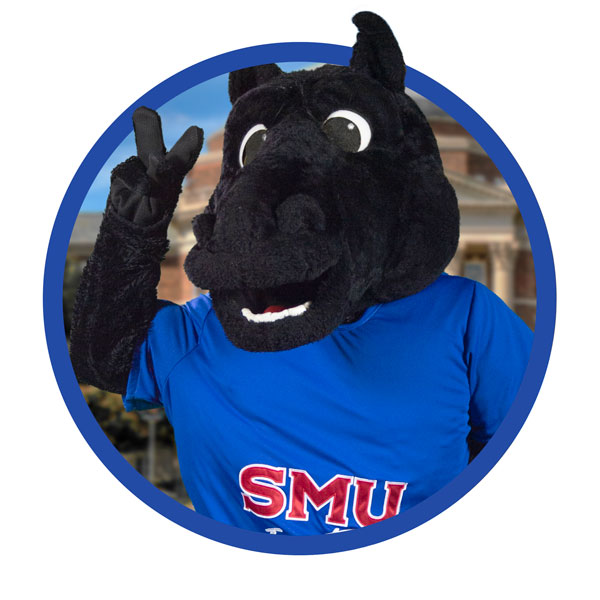
Costumed Peruna mascot busting out of a ring


80+

Countries where online Mustangs study

24/7

Live technical support in Canvas

5

Ways to reach the IT Help Desk

6

Steps to get fully set up

Everyday services

The platforms you will use every day

These are the core systems behind your coursework, your account, and your connection to campus.

Canvas LMS

Canvas LMS

Your courses on any screen. Assignments, grades, and materials in one place, on the web or the Canvas Student app, with 24/7 technical support built in.

Email & Microsoft 365

Email & Microsoft 365

Official SMU email plus the full Office suite, including Word, Excel, PowerPoint, Outlook, and Teams, free on up to ten of your own devices.

Apporto

Apporto

A computer lab in your browser. SAS, GMetrix, Office, and lab software with nothing to install, on a Mac, Windows PC, or Chromebook.

Wi-Fi & connectivity

Wi-Fi & connectivity

Encrypted PERUNANET Wi-Fi covers every SMU campus, and eduroam gives you secure access at partner institutions around the world..

Secure sign-in

Secure sign-in

Multi-factor authentication (MFA) with Microsoft Authenticator and passkeys protect your account from the first login, wherever in the world you connect from.

IT Help Desk

IT Help Desk

Help five ways: phone, chat, email, walk-up, and a 24/7 Knowledge Base, plus live status updates when something is not working.

Your first week

Set up in six steps

Work through these in order. Every step can be completed from anywhere in the world, so you do not need to be in Dallas to start.

Activate your SMU ID and enable Multi-Factor Authentication

Set up your SMU ID and enroll in Microsoft Entra Multi-Factor Authentication (MFA). This single step protects your email, Canvas, and every other SMU system from the start.

Account and sign-in help

Set up your SMU email and Microsoft 365

Your SMU email is the official channel for course and university communication, so check it daily. Microsoft 365 gives you Word, Excel, PowerPoint, Outlook, and Teams, free on up to five devices.

Set up Microsoft 365

Log in to Canvas on the web and your phone

Canvas is where your courses live. Sign in on the web, then add the Canvas Student app for iOS or Android so you can keep up from anywhere. Live technical support is available around the clock.

Go to Canvas

Open your virtual computer lab in Apporto

Apporto runs SAS, GMetrix, Microsoft Office, and lab software right in your browser, with nothing to install, on a Mac, Windows PC, or Chromebook. If you study fully online, this is your lab.

Launch Apporto

Get online securely, on campus and off

On campus, connect to PERUNANET Wi-Fi, and use eduroam at partner institutions worldwide. Off campus, the SMU VPN gives you secure access to restricted resources when a course requires it.

Get connected

Know how to get help before you need it

The IT Help Desk is available by phone, chat, email, walk-up, and a 24/7 Knowledge Base. Save the number now so it is ready when you need it: 214-768-HELP (4357).

Reach the Help Desk

Studying fully online?

Distance never lowers the level of support

Every service on this page is built to work the same whether you are in a residence hall or on another continent. Here is what that means for online and off-campus Mustangs.

Your lab, in a browser

Your lab, in a browser

Apporto replaces the campus computer lab. Run specialized software from any device, anywhere.

Canvas on the go

Canvas on the go

Access courses on the web or the mobile app, with live 24/7 technical support built in.

Help on your schedule

Help on your schedule

Phone, chat, email, and a 24/7 Knowledge Base mean support that fits your time zone, not just ours.

Quality you can trust

Quality you can trust

Online courses are built with Quality Matters and meet ADA and WCAG accessibility standards.

Secure from day one

Secure from day one

Authenticator and passkey sign-in protect your account wherever you connect.

One toolkit, every mode

One toolkit, every mode

The same platforms support face-to-face, hybrid, and fully online study, with no second-class experience.

Quick help


Reach a real person fast

Stuck on any step above? The IT Help Desk can walk you through it. Pick whichever channel suits you.

Ways to reach the IT Help Desk

In person Fondren Library West
Phone 214-768-HELP (4357)
Email help@smu.edu
Live chat smu.edu/itchat
Online request STABLE service portal
Knowledge Base Self-service answers, available 24/7

Today's Support Hours


 This page is part of SMU's documentation of academic and student support services for accreditation by the Southern Association of Colleges and Schools Commission on Colleges (SACSCOC). Services and contacts are reviewed for accuracy on an ongoing basis.